Important Notice:
Please initialize ssd in disk management first when you using ssd enclosure, otherwise it will not show in computer, it's not product issue!.

DOES NOT WORK IN XBOX expansion adapter, if you want using in XBOX don't buy it.
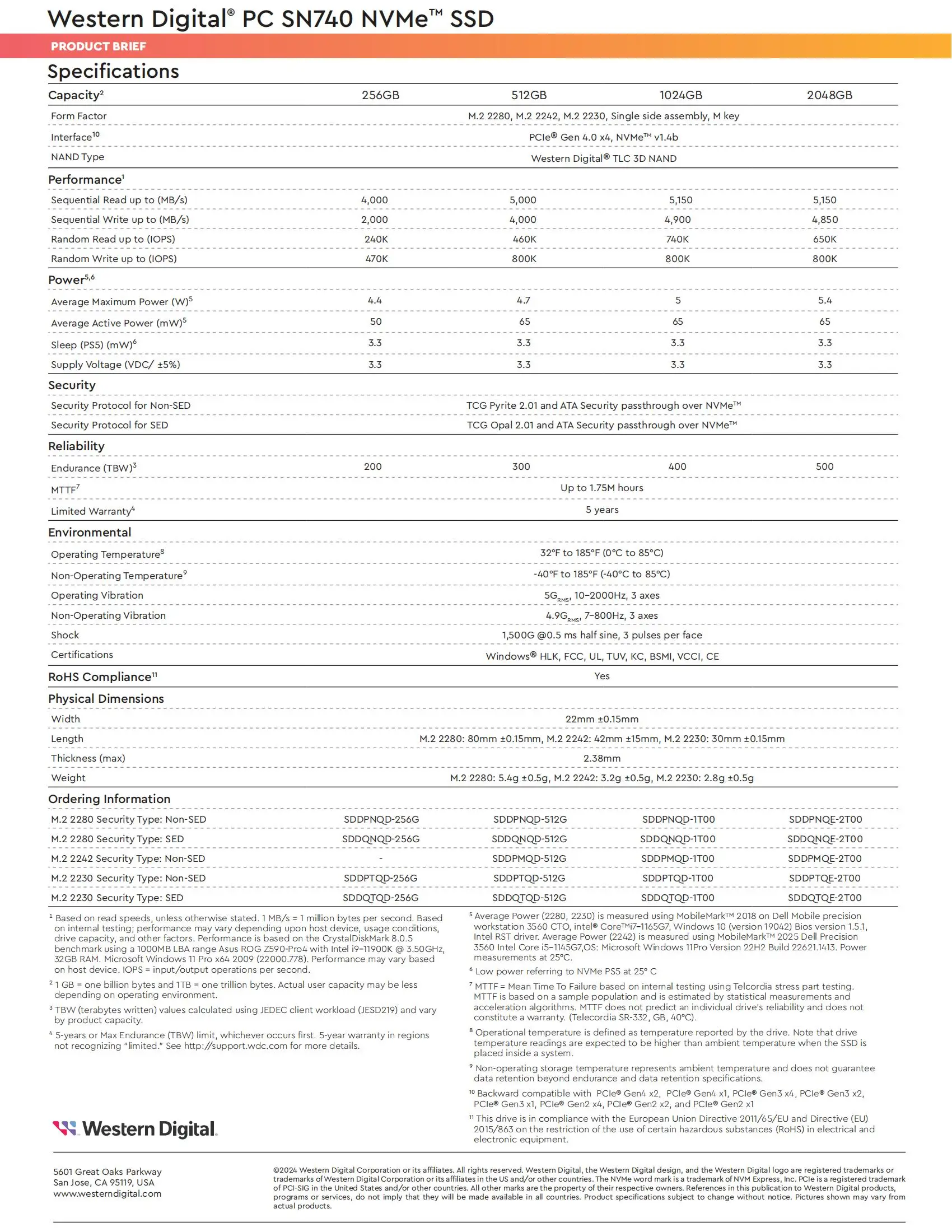
• High Storage Capacity: The Western Digital WD SN740 2TB SSD offers ample storage space, perfect for storing large files and applications.
• Rapid Data Transfer: Equipped with PCIe 4.0 X4 and NVMe protocol, this SSD ensures quick data transfer rates, enhancing your computing experience.
• Versatile Application: Ideal for industrial computers and Microsoft Surface ProX, this SSD caters to a wide range of computing needs.
• Internal Design: As an internal SSD, it provides seamless storage solutions, making it an integral part of your computing device.
• Durable Construction: Originating from Mainland China, this SSD boasts of robust construction, ensuring long-lasting performance.
• SATA Interface: The SSD comes with a SATA interface, making it compatible with a variety of devices.
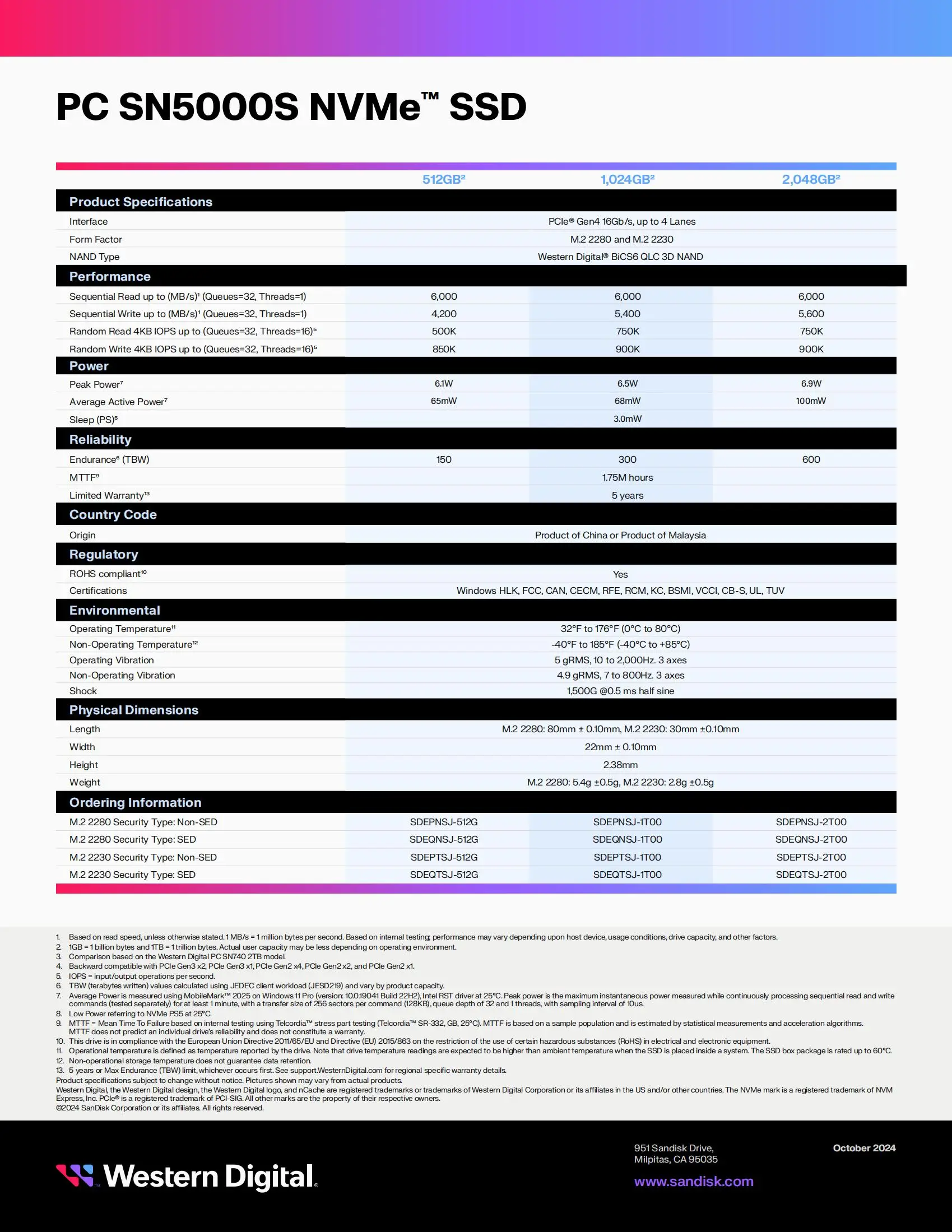
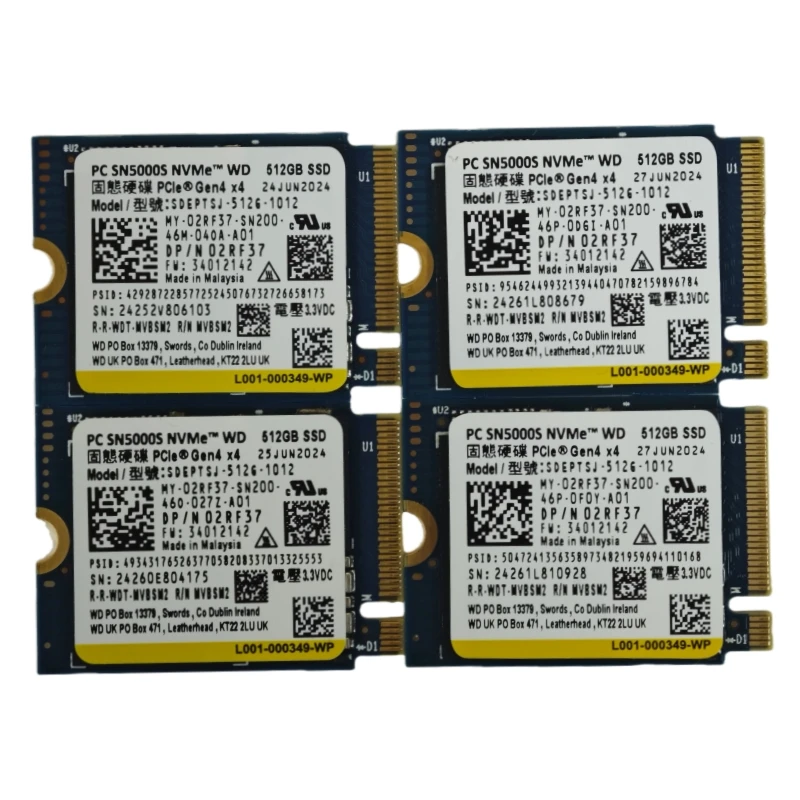
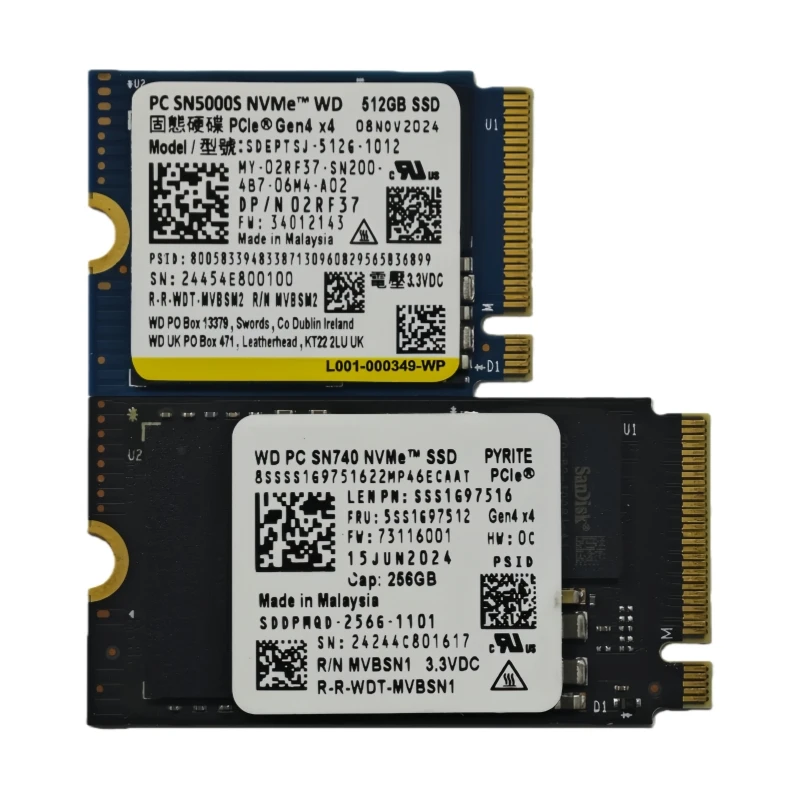
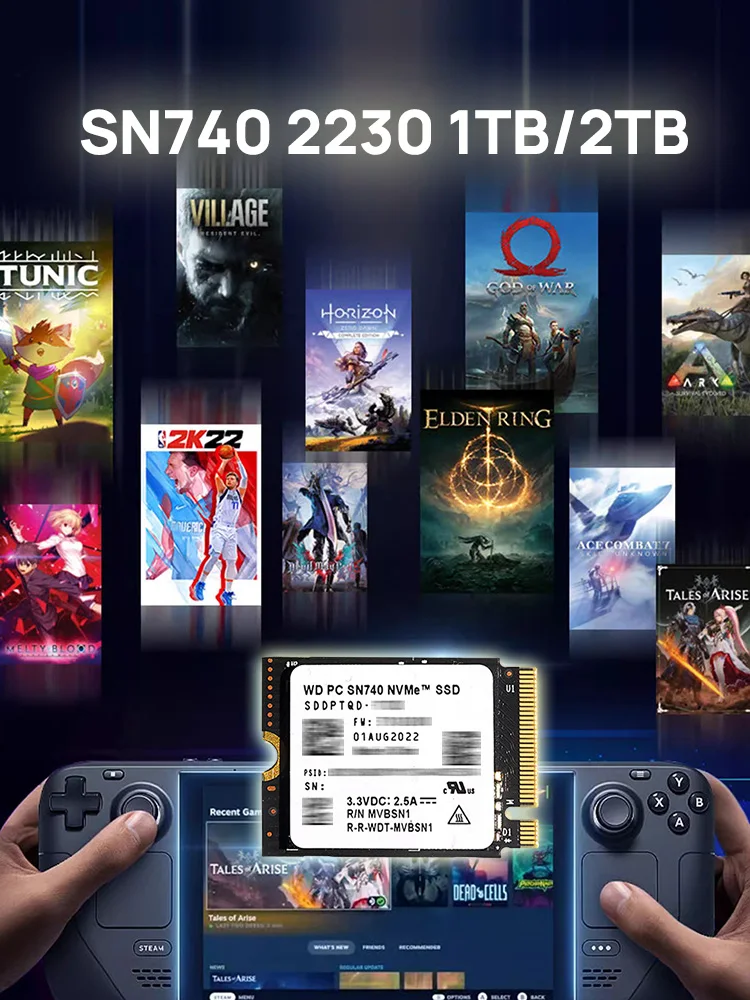
【Perfect Fit for Steam Deck】The size (22mmx30mm) is compatible with Steam Deck and Surface(Not work with SP8) Dell HP Lenovo Laptops, Achieve fully immersive gameplay with sustained high-performance bandwidth and throughput for heavy-duty applications in gaming, graphics, data analytics.
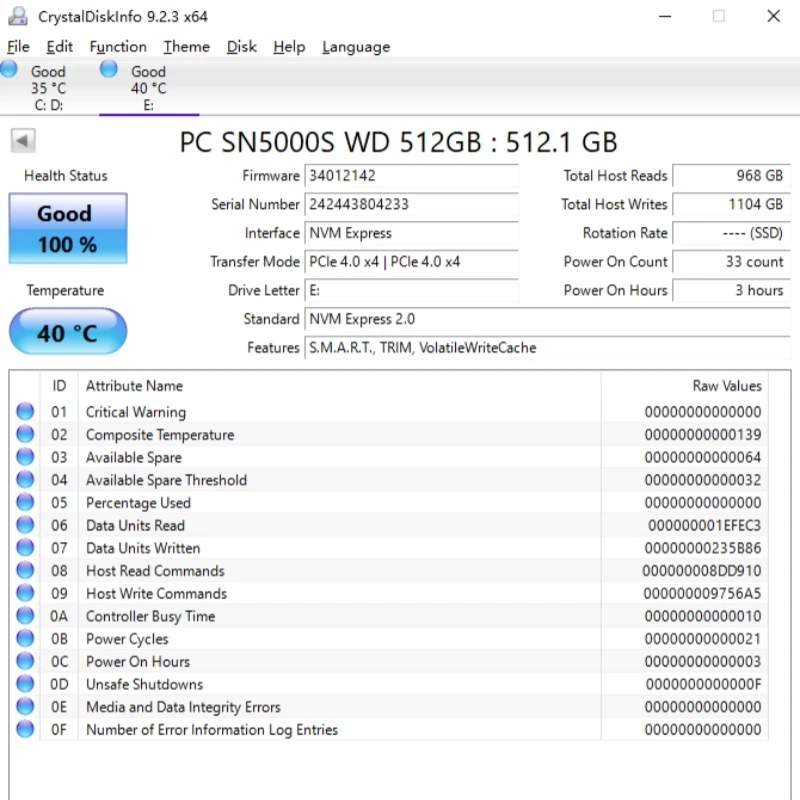
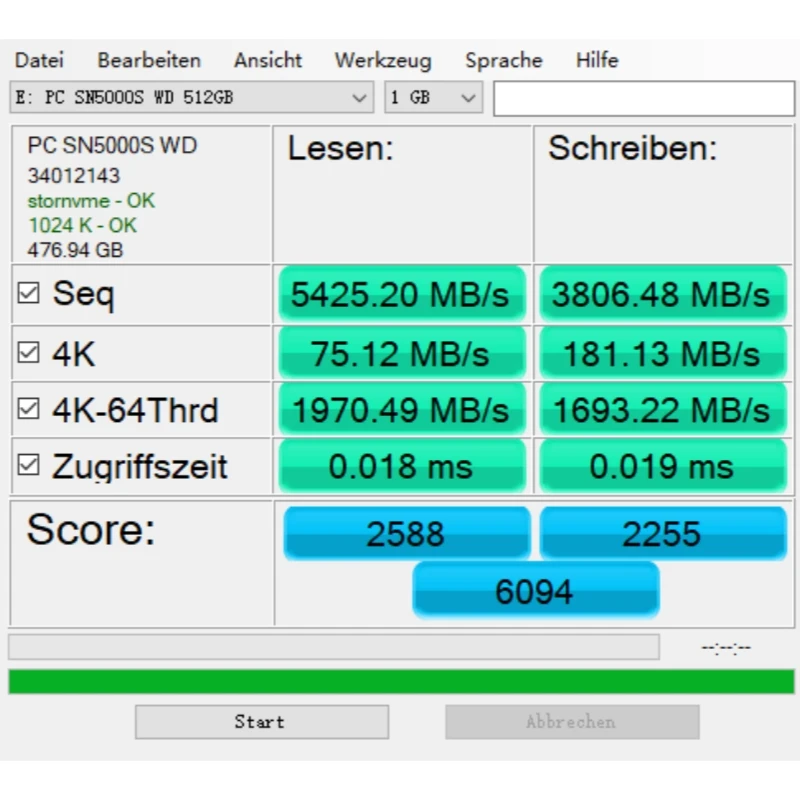
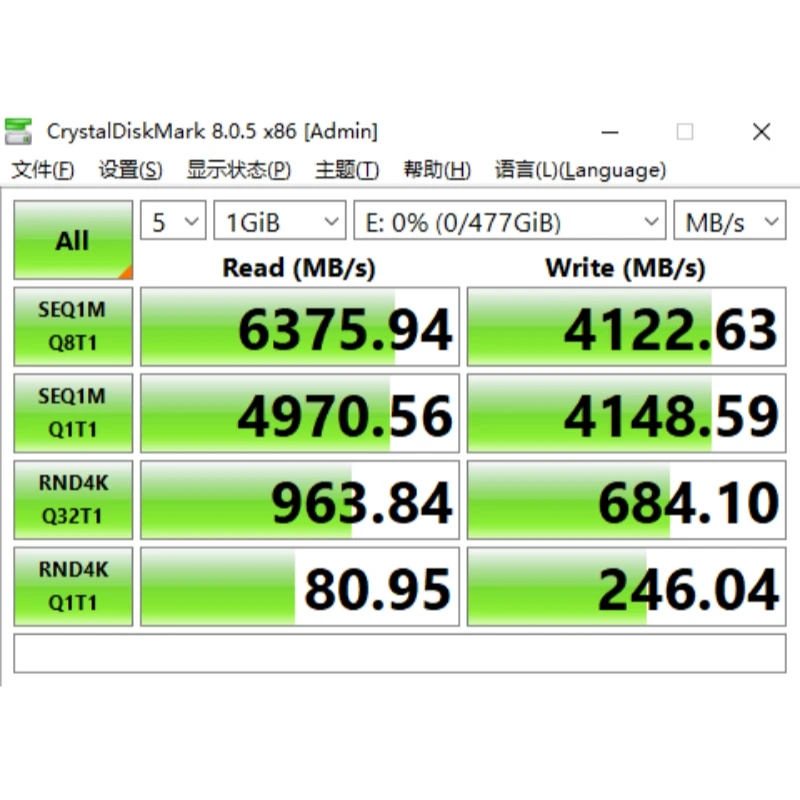
【Fast PCIe Gen4 NVMe 1.4 SSD】High-Speed sequential read/write speed up to 5,150MB/s and 4,900MB/s. Designed for the new Gen4 x 4 PCIe slots, PCIe 4.0 and NVMe 1.4 compliance.
Perfect Upgrade options with the following compatible devices:surface pro 8surface pro 7+surface pro Xsurface laptop3surface laptop4surface laptop gosurface book3Support DIY CFE camera cardSupport for Steam deck handheld consolesSupport Apple computer transferSupports ASUS ROG series notebooksSupport GPD Win Max 2Support Dell notebook 2230 interface (Dell 7200/7410/7510/7610/7470/5370/5491/5510/5511/Alien M17/m15R6/XPS13-9380/Dell G15 5510/5511/5515/5520/5521 and other models (2230 interface)





Q: Why do I buy a hard disk with less actual capacity than the labeled capacity?
A: The factory capacity of hard disk products is usually calculated according to 1MB=1000KB, 1GB=1000MB, while the operating system adopts the binary algorithm: 1MB=1024KB, 1GB=1024MB. In addition, some of the capacity listed on the hard disk device will be used for formatting and other functions, not all of them will be used for data storage, so there is a certain difference between the displayed capacity of the product and the nominal capacity. The actual available data storage capacity is lower than the capacity listed on the product.
Q: Why is the transfer speed of the hard disk on my computer slower than labeled?
A: The speed, capacity and actual performance of hard disk products may vary depending on the host device, device interface, usage environment, hard disk capacity and other factors.
Q: Can data be recovered from a faulty hard disk?
A: In the process of using the hard disk, please make multiple backups of important data, such as product quality problems, and in line with the relevant warranty policy, the official after-sales service will provide you with equipment repair or replacement services, which does not include data recovery services and does not promise that the loss of data loss caused by the loss of the product to be replaced need to be returned to the faulty product, please back up your data in advance, the data in the returned product will not be retained to give you the inconvenience please forgive me! Please understand the inconvenience!
Notice:DOES NOT WORK IN SP8 - Some of these SSDs will crash constantly in SP8.