

Shipped from abroad _ Delivery in 7 days
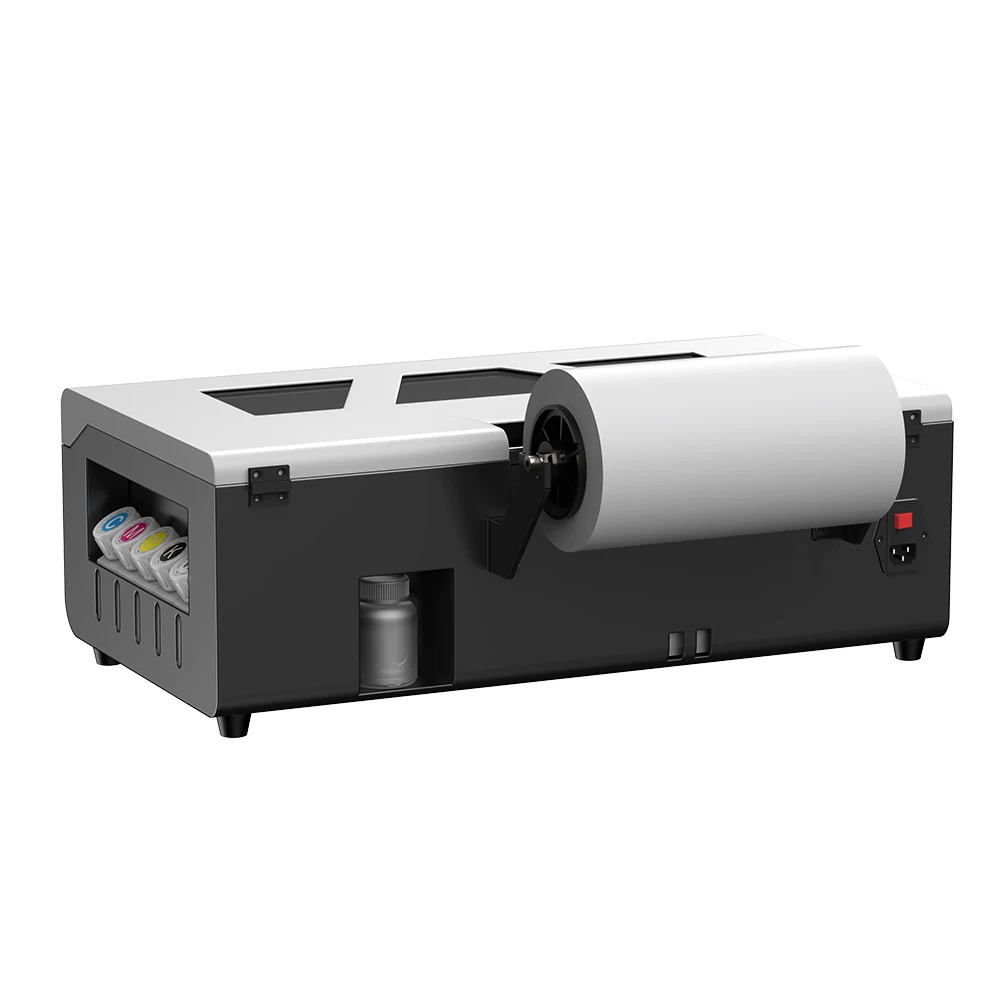
8.2inch A4 DTF Printer with Roll Feeder L800 Tshirt Printing Machine With Oven Directly to Film DTF Printer For tshirt Clothes
8.2inch A4 DTF Printer with Roll Feeder L800 Tshirt Printing Machine With Oven Directly to Film DTF Printer For tshirt Clothes
Couldn't load pickup availability
SPECIFICATIONS
Brand Name: TOPPARTS
Interface Type: USB
Double-sided Printing: No
Type: Inkjet Printer
Paper Feed Mode: Roll Feed
Print Speed: 20ppm
Supports Network Printing: Wired
Hign-concerned Chemical: none
Max Paper Size: A4
Origin: Mainland China
Black Print Speed: 1440dpi/ around 3min
Max. Resolution: 2880*1440dpi
After-sale Service: Shop's Three Guarantees
Color Print Speed: 1440dpi/ around 3min
Size: 600*320*200mm
Voltage: 100-240V
Application: For Commercial
Consumable Type: Black Powder One
Certification: CE
Certification: weee
Use: DTF printer for clothes
Model: A4 L800DTF Printer
Print head: For Epson L800
Printing size: sheet film 210*297mm/roll film 21cm*100m
Printing software: RIP V11 version
Ink color configuration: CMYK+W W
Ink consumption: 1sq.m/20ml
Ink supply system: 6colors CISS
Heating System: back stage heating
NW/GW: 15KG/25KG
Feature: White ink circulation system
Advantage: White ink mixing system
Function: A4 DTF Printer with Roll Feeder
Compatible: Tshirt Printing Machine
Application: Directly to Film DTF Printer For Clothes
8.2inch A4 DTF Printer with Roll Feeder L800 Tshirt Printing Machine With Oven Directly to Film DTF Printer For tshirt Clothes
DTF’s (direct-to-film) popularity comes from its unique set of advantages, compared to other digital garment decoration techniques. One might say that DTF’s popularity comes from fixing what decorators don’t like about other technologies, but that’s a matter of perspective. Taken by itself, the appeal of direct-to-film heat transfer can be summed up in a few points.
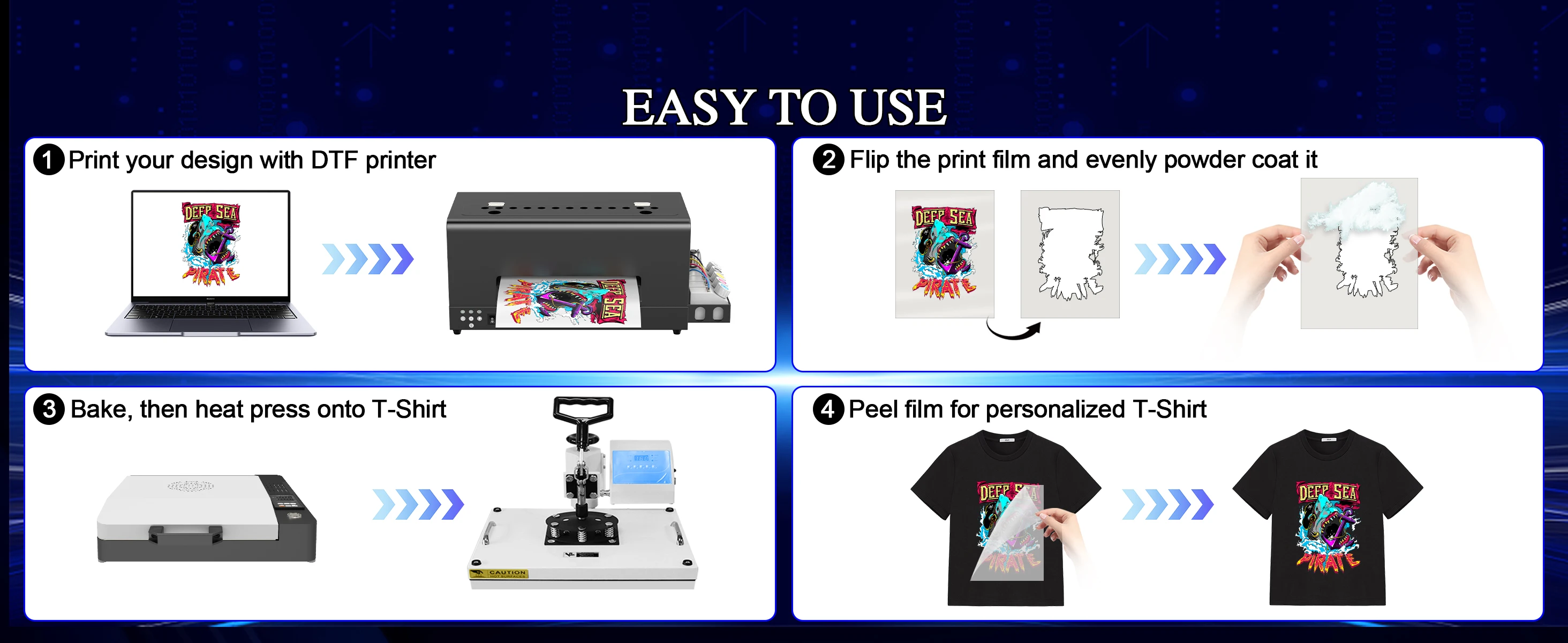
Ease of use: There are four steps in the DTF process, but they’re all fairly simple.
Durable transfers: DTF transfers are more wash-resistant than DTG (direct-to-garment) and laser transfers
Soft and stretchable: DTF transfers have more plasticity than laser transfer and some HTV (heat transfer vinyl) transfers. They’re not as soft as sublimation, but they stretch with the fabric.
Vibrant color, opaque white: The bright colors and opaque white of DTF transfers are comparable to that of DTG prints and screen-printed apparel.
Printer Advantages :
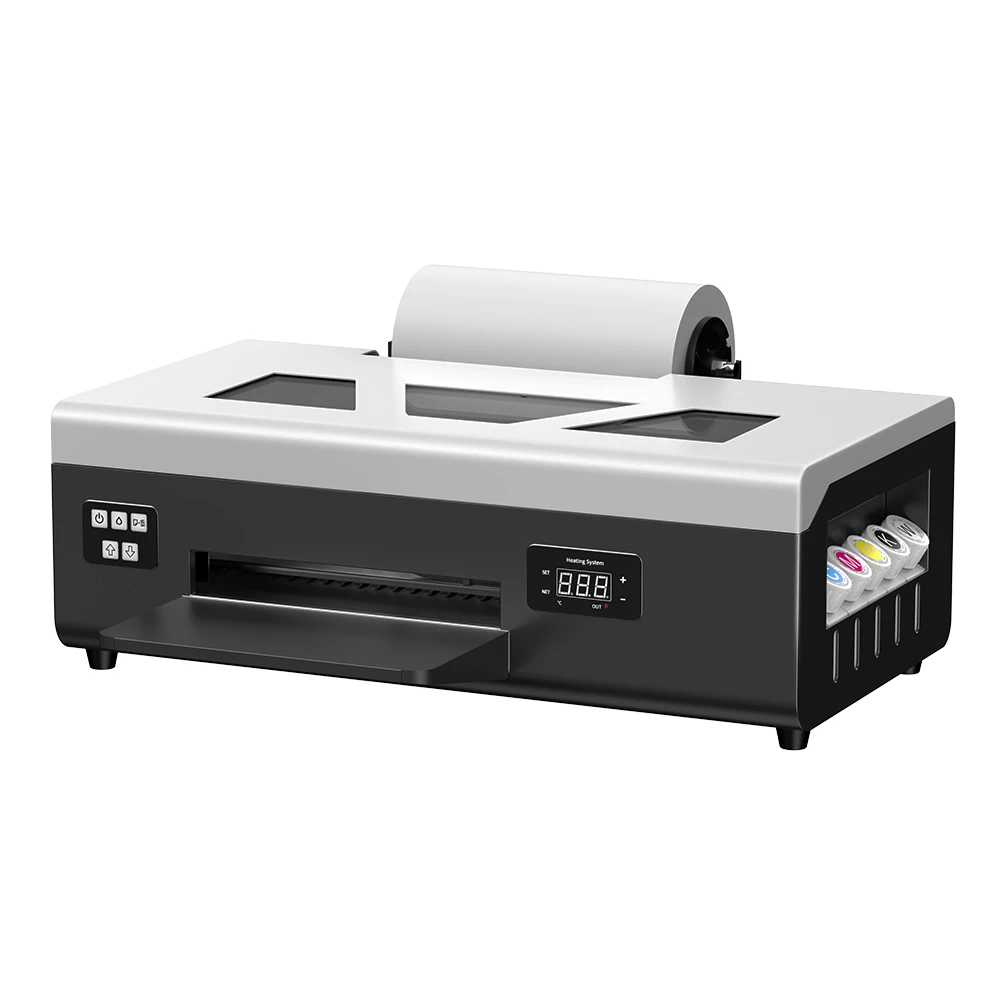
Sheet film / roll film two version - can print sheet film and roll film according printing request , Printable width 210mm, allowing longer and more compact graphics layout.
Printhead Auto-Cleaning - Auto-cleaning function automatically cleans the print head,Prevent nozzle clogging and improve print quality
Desktop size - Net weight 20kg, machine size 60*32*20cm, suitable for small business, easy-operated to DTF new beginners.
Steady ink supply - Configured with 6 color inks CMYK+WW; stable ink circulation system; providing outputs with steadily high quality.
Detailed tutorials - Tutorial videos and manuals provided, covering from machine setup to DTF printing practise.
White ink circulation and white ink stirring function - White ink circulation and white ink stirring functions make the white ink flow more smoothly, which can effectively prevent the print head from being blocked
Printer Specificaiton :
Product Model: L8058 DTF Printer
Colors:CMYKWW
Printing speed:A4 1440*1440dpi ,5 Minutes
Software: RIP 10.3
Print head: For EPSON XP600
Maximum printing width:A4/ 21*30cm / roll 21*100M
Ink consumption: 1 square meters / 20ml
How to Use DTF Printer ?
Step 1 – Print on Film
Instead of regular paper, insert the PET film into the printer trays. First, print the entire image in white on the PET film. After this, using the appropriate color settings in the printer, print the required image on the white image layer.
Step 2 – Powdering
This step is the application of hot-melt powder on the film that has the printed image on it. The powder is applied uniformly when the ink is wet and the excess powder needs to be removed carefully. The important thing is to ensure that the powder is evenly spread all over the printed surface on the film.
Step 3 – Melting the powder
As in the name, the powder is melted in this step. This can be done in various ways. The most common way is to put the film with the printed image and the applied powder in the Curing Oven and heat.
Step 4 – Pre-pressing
The step involves pre-pressing the fabric before the transfer of the image by the film. The fabric is kept in the heat press and pressurized under heat for about 2 to 5 seconds. This is done to flatten the fabric and also ensure de-humidification of the fabric. The pre-pressing helps in the proper transfer of the image from the film onto the fabric.
Step 5 – Transfer
This is the heart of the DTF printing process. The PET film with the image and the melted powder are placed on the pre-pressed fabric in the heat press for a strong adhesion between the film and the fabric. This process is also called ‘curing’. The curing is done at a temperature range of 160 to 170 degrees Celsius for approximately 15 to 20 seconds. The film is now firmly attached to the fabric.
Step 6 – Cold Peel
The fabric and the now attached film on it must cool down to room temperature before one pulls the film off. Since the hot melt has a nature similar to amides, as it cools down, it acts as a binder that holds the colored pigment in the inks in firm adhesion with the fibers of the fabric. Once the film is cooled, it must be peeled off the fabric, leaving the required design printed in ink over the fabric.